 Nix McRetro
This is the first video in a two parter for the Banksia Bit Blitzer. This is quite a slow modem clocking in at 2400 bps. You can’t get those levels of slow just anywhere you know. Model number found on the underside reads BBM124E-B2CL with a serial number of 303159.
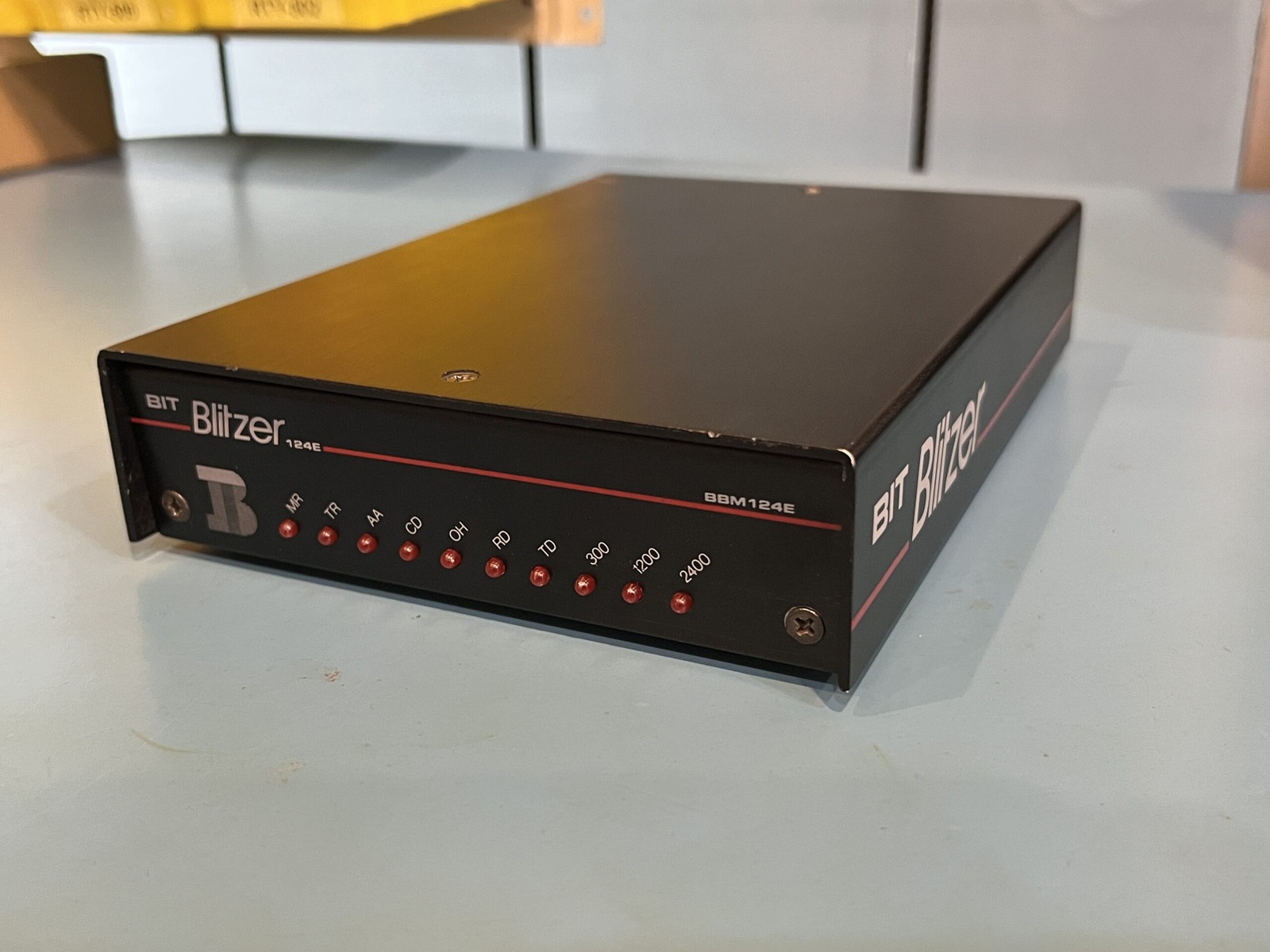
Not the fastest, but the cool factor is pretty high on this modem. Look at all those LEDs! Everything was through-hole inside and it was amazing to replace the capacitors. This modem was purchased in May 2023 and was recapped, had the ROM dumped and was tested all in May 2023.
The first recording is also a bit of a tour around my increasingly complicated dial-up setup. I’d cleared some space with a new set of drawers, although the top shelf wasn’t quite aligned properly. Never mind that. The important thing was that I finally had somewhere to put all the modems!
I was using an HPE MicroServer running Ubuntu as the computer dialling out. The BIT Blitzer connected through a USB serial adapter, then into a Cisco SPA112 VoIP adapter. On the other side, a Banksia Wave SP modem acted as the answering end.
A Raspberry Pi running Asterisk and mgetty handled the other parts of the arrangement. There’s a lot going on just to make two modems talk to each other, but hearing the analogue bleeps and bloops travel through all that modern equipment is half the fun.
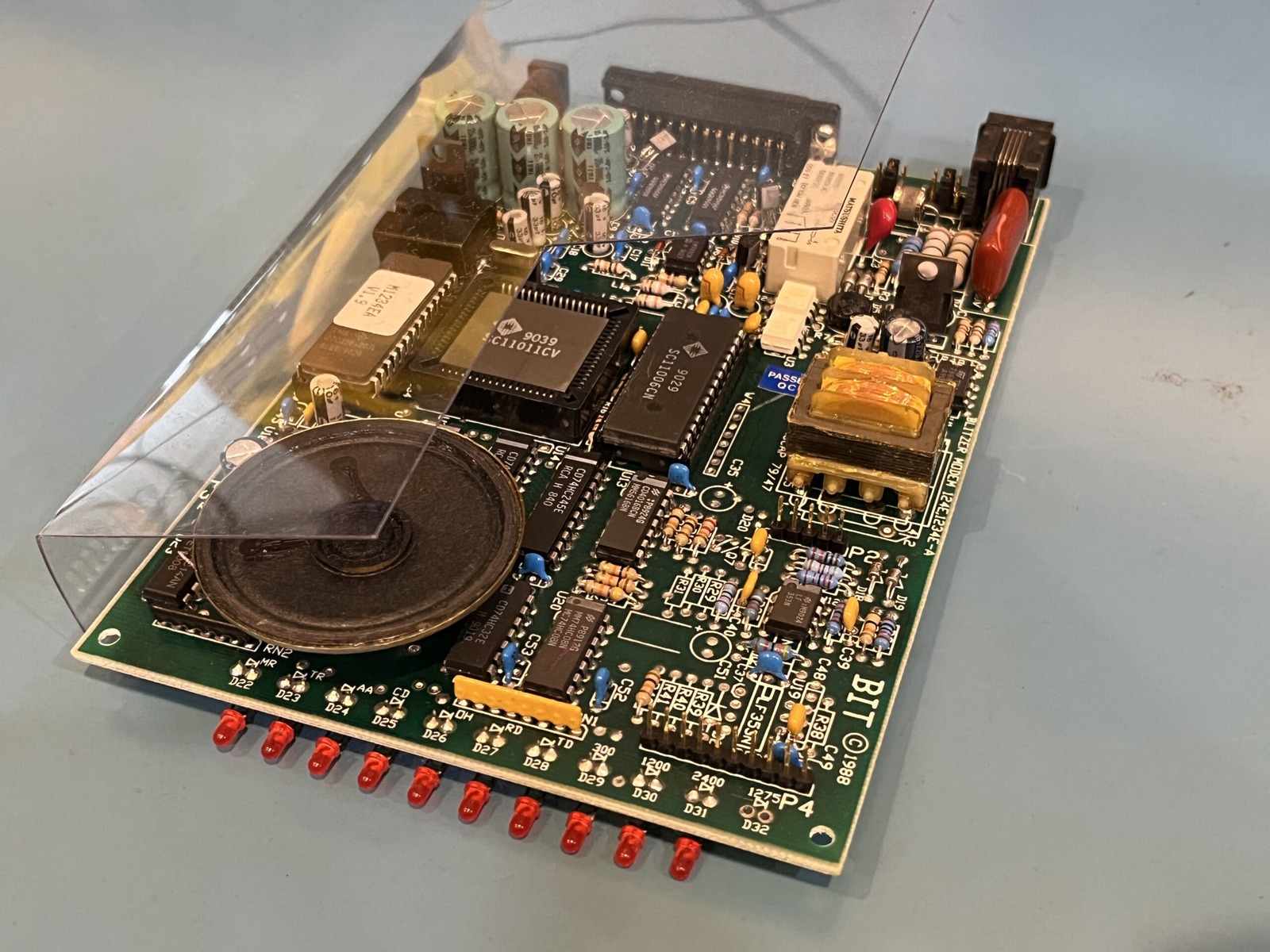
The firmware reports 891210, so 10th December 1989 if that field is a date. I dumped the ROM using a TL866CS programmer and originally shared it through the file server. The PCB has the markings Banksia Bit Blitzer 124E/1234E-A, which suggests a shared board design across models; it doesn’t establish that every version had identical components.
For the Linux connection I used wvdialconf to detect the modem and generate a starting configuration. After adding the dial-in details, I used wvdial to make the connection. The number I used was the old Sydney Internet Group number, 02 9373 5100, which I’d rediscovered while browsing archived TIG and ihug pages. That certainly brought back memories of the old internet.
The first attempt involved some fiddling with the initialisation strings and connection settings. At these speeds, there’s plenty of opportunity to admire the LEDs while waiting for something to happen.
Above is part two following on from the video at the start of this post. Some of the component codes appear to point to mid-to-late 1990, which suggests this particular unit was assembled sometime after the firmware build if I am reading those codes correctly.
For this second test I fired up Windows 98 inside VirtualBox and passed the serial modem through to the virtual machine. It was nice to find that Windows 98 could handle the modem without requiring an expedition through a mountain of driver discs.
The connection managed 2400 bps, with the corresponding speed indicator lit on the modem. That’s a theoretical maximum of about 300 bytes per second before all the overhead. A photograph would be a serious commitment at that speed!
I tried browsing my own file server, and after several minutes Netscape finally produced a directory listing. It had transferred only a few tens of kilobytes. Looking through the file sizes and deciding what to download became a rather important part of the experience.
The modem certainly wasn’t in any hurry. But it connected, transferred data, and gave me a very convincing reminder of why text-only websites were such a good idea.
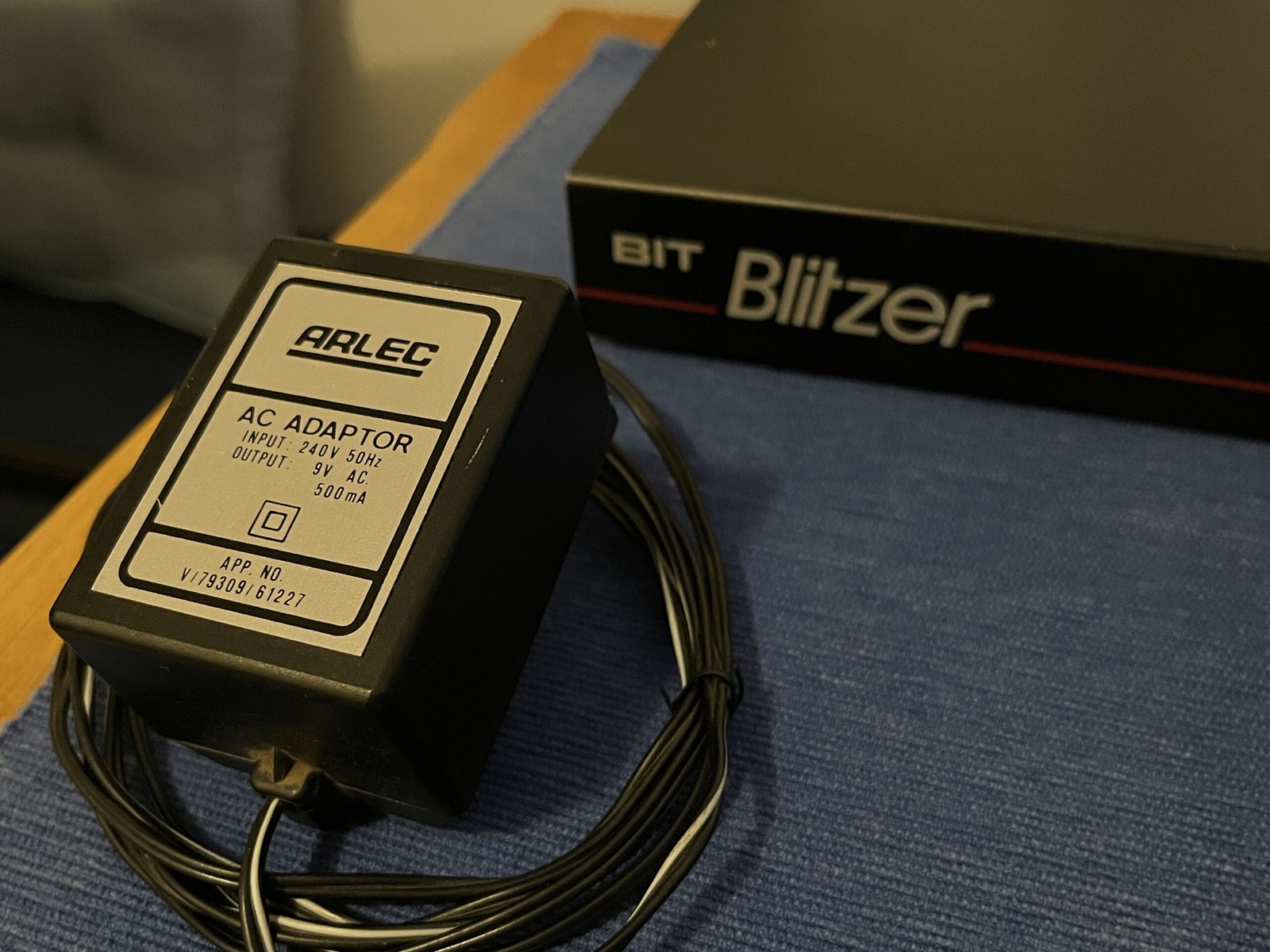
Here’s the Arlec power supply that came with it: 240 V AC at 50 Hz in, 9 V AC at 500 mA out. Other markings on the power supply are APP. NO. V/79309/61227. I’d put more photos in the photo gallery.
Next up we have data from the modem itself and the AT&FS0=0V1X3 initialisation string I used, probably found thanks to wvdialconf. It reached CONNECT 2400 in this test; that doesn’t make it the best init string for every setup.
---------- 2023-05-27 16:19:13 +1000: Logging Started ----------

ATZ
OK

AT&FS0=0V1X3
OK

ATI0
M1234EA V1.9 891210
OK

ATI1
LOADED CHECKSUM = 8C
CALCULATED CHECKSUM = 8C
OK

ATI2
OK

ATI3
M1234EA V1.9 891210
OK

ATI4
M1234EA V1.9 891210
OK

ATI5
LOADED CHECKSUM = 8C
CALCULATED CHECKSUM = 8C
OK

ATI6
OK

ATI7
M1234EA V1.9 891210
OK

ATI8
M1234EA V1.9 891210
OK

ATI9
LOADED CHECKSUM = 8C
CALCULATED CHECKSUM = 8C
OK

ATI10
OK

ATI11
M1234EA V1.9 891210
OK

ATI12
M1234EA V1.9 891210

ATDT1234567890
CONNECT 2400
Last but not least, we have the original capacitor values and what they were replaced with. The list below records this BBM124E-B2CL, serial 303159. Before copying it, check the actual board and fitted capacitor type, polarity, capacitance, voltage rating, ESR, ripple-current and temperature ratings, lead spacing and physical fit. A higher voltage rating alone doesn’t establish a suitable replacement. The parts listed below are manufacturer part numbers. The formatting isn’t too web friendly. Copy the raw text out and paste it into a plain-text editor such as Notepad or TextEdit in plain-text mode and you’ll probably be fine. 😄
Radial Electrolytic

Location	Value	Voltage	Dimensions		Notes
C2		220uF	16V	8mm (W) x 12mm (H)	25ZLG220MEFC8X11.5 - Rubycon ZLG Series, 25V upgrade
C46		220uF 	16V	8mm (W) x 12mm (H)	25ZLG220MEFC8X11.5 - Rubycon ZLG Series, 25V upgrade

C43		10uF	16V	5mm (W) x 11mm (H)	50YXF10MEFC5X11 - Rubycon YXF Series, 50V upgrade
C7		10uF	16V	5mm (W) x 11mm (H)	50YXF10MEFC5X11 - Rubycon YXF Series, 50V upgrade
C21		10uF	16V	5mm (W) x 11mm (H)	50YXF10MEFC5X11 - Rubycon YXF Series, 50V upgrade

C3		33uF 	16V	5mm (W) x 11mm (H)	EEU-FR1V330B - Panasonic FR Series, 35V upgrade
C8		33uF 	16V	5mm (W) x 11mm (H)	EEU-FR1V330B - Panasonic FR Series, 35V upgrade
C18		33uF 	16V	5mm (W) x 11mm (H)	EEU-FR1V330B - Panasonic FR Series, 35V upgrade
C20		33uF 	16V	5mm (W) x 11mm (H)	EEU-FR1V330B - Panasonic FR Series, 35V upgrade
C31		33uF 	16V	5mm (W) x 11mm (H)	EEU-FR1V330B - Panasonic FR Series, 35V upgrade

C9		1000uF	25V	12mm (W) x 20mm (H)	35ZLH1000MEFC12.5X20 - Rubycon ZLH Series, 35V upgrade
C10		1000uF	25V	12mm (W) x 20mm (H)	35ZLH1000MEFC12.5X20 - Rubycon ZLH Series, 35V upgrade
C11		1000uF	25V	12mm (W) x 20mm (H)	35ZLH1000MEFC12.5X20 - Rubycon ZLH Series, 35V upgrade
This modem has been donated to the Australian Computer Museum Society (ACMS).
Sources
- Rubycon - Aluminum Electrolytic Capacitor Technical Notes
- Panasonic - EEUFR1V330B FR-series capacitor specifications