 Nix McRetro
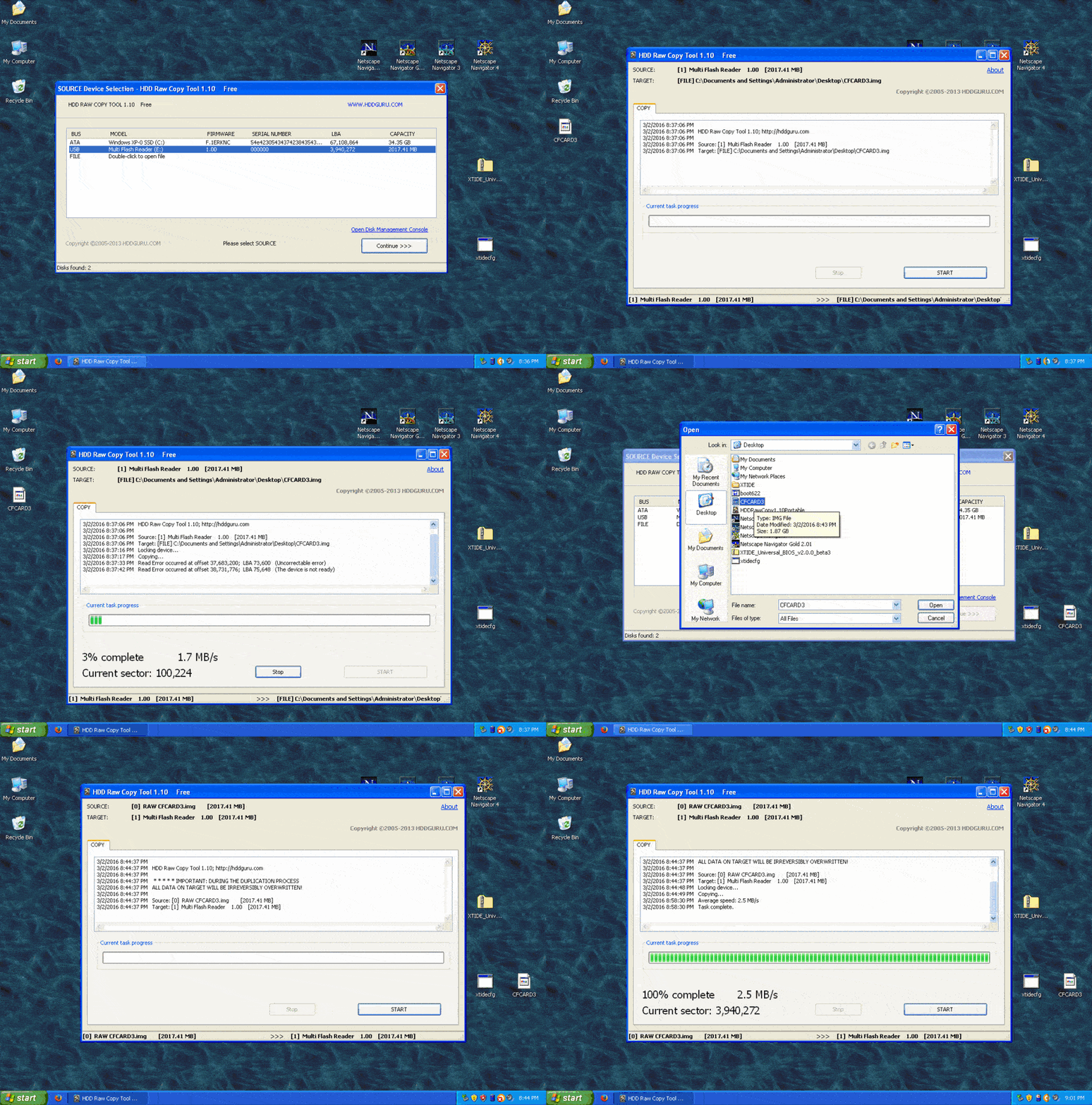
While dealing with XTIDE and CompactFlash cards, I was using HDD Raw Copy Tool version 1.10 under Windows XP. I could also have done this with dd under Linux or Mac OS, but this time I decided to use Windows XP inside a virtual machine.
Watch the animated GIF above to see the process. You get five seconds per frame. Use them wisely.
It shows a CF card being saved as CFCARD3.img, then written back to the card. The initial read logs errors; the final 100% screen confirms that the write completed, not that every source sector was captured correctly.
One important warning with any raw-disk cloning tool: double-check which device is the source and which is the destination before starting. A raw clone does exactly what you ask, including happily overwriting the wrong drive if you select it by mistake.

Maybe I just like that Prairie Wind background tile. Either way, the goal was a working backup so I could thoroughly destroy an XTIDE configuration and restore it instead of starting over. With those read errors in the GIF, I would need to check the image and test a restore before relying on it.
Dammit, that is a nice tile. 🙃