 Nix McRetro
And we return to the modems. From cicadas to real life issues and back to modems. This one is actually a bit of a fun video as I get to ramble on for around 30 minutes. Is it all about the modem? Probably not. Will you watch the entire video? If you do I’ll be very surprised!
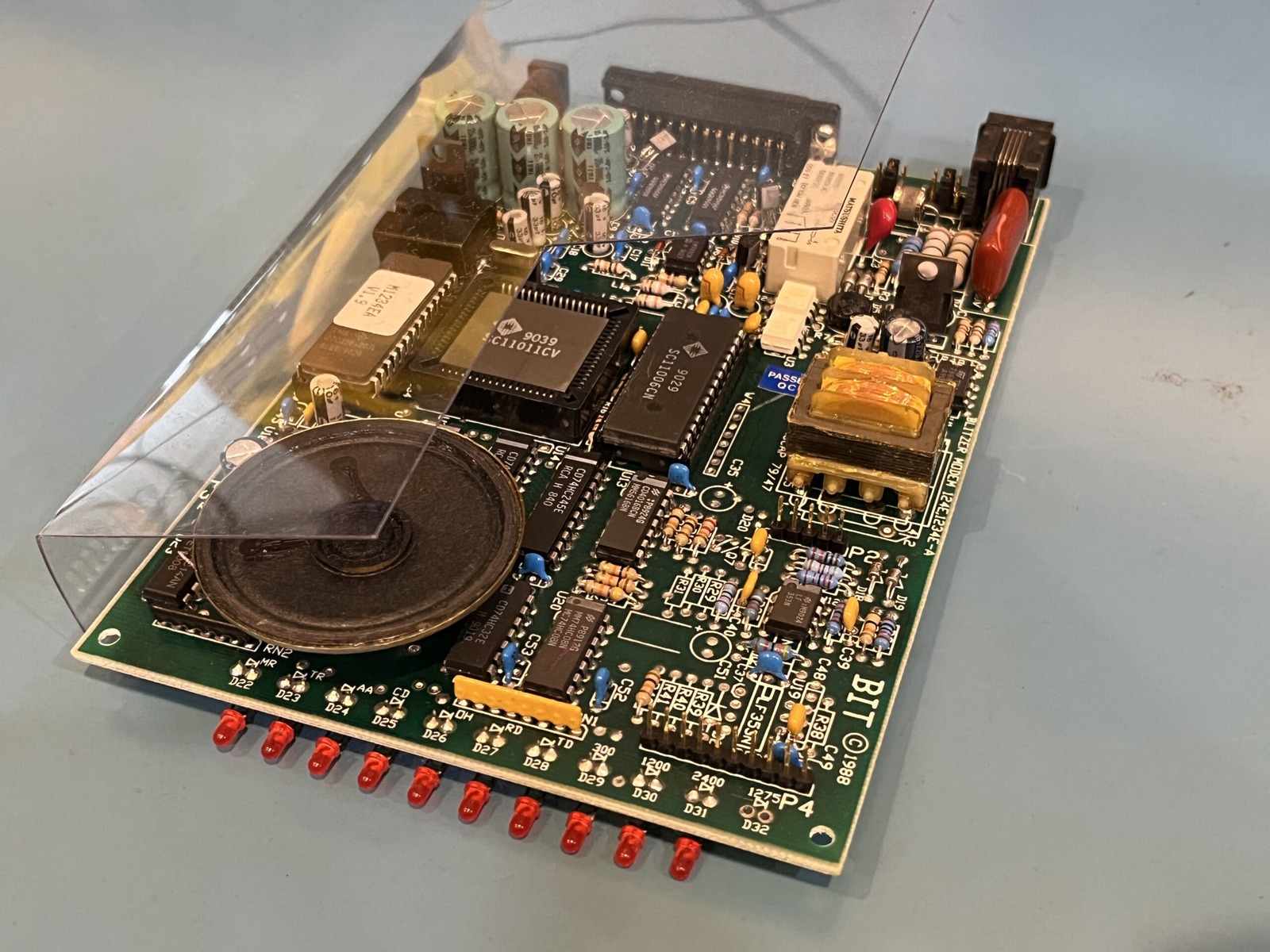
The modem in question is a Banksia BIT Blitzer 124E, which operates at a magnificent 2400 bps. That’s not a typo. Two thousand four hundred bits per second! Forget downloading anything large, we’re here to enjoy every last byte of the experience.
I’ve connected it to an HP Gen8 MicroServer and a little VoIP arrangement, with a Banksia Wave SP modem at the other end. The connection passes through the telephone adapters and an Asterisk server running on a Raspberry Pi, allowing the two old modems to talk without needing a real dial-up ISP. Modern technology being used to recreate obsolete technology. Beautiful!
On the Linux side I’m using WvDial and the usual PPP configuration to establish the connection. The modem had just been recapped, including some work around the power-input circuitry, so this was also an opportunity to check whether it would behave for a decent length of time after the repairs.
One thing worth noting is that the BIT Blitzer uses an AC power adapter. This particular unit is marked for 9 V AC, so substituting a DC adapter simply because the plug fits isn’t the way to go. After all the effort of replacing capacitors, I’d rather not make a new problem by giving it the wrong supply.
Once the connection was configured, we finally got the magic message: CONNECT 2400. Excellent! The activity lights were blinking away, and I could see data moving through the connection. It’s not exactly broadband, but there is something wonderful about watching a modem this old communicate with a computer running modern Linux.
I tried opening my website and poking around the files hosted on the server. Naturally, even the simpler pages were taking an impressive amount of time to load. At 2400 bps the theoretical maximum is only about 300 bytes per second before accounting for protocol overhead, and the real-world transfer rate is generally worse.
I also experimented with downloading a file of around 692 KB. The progress indicator was determined to turn the job into something resembling an overnight activity, with estimates stretching into absurd territory. After a while we’d managed only a fraction of the download, which was still a rather satisfying achievement for the equipment involved.
The connection did drop during part of the testing, so I tried keeping some regular traffic moving by pinging various hosts. That appeared to help it remain connected for longer, although I hadn’t completely established why the earlier disconnections occurred. The VoIP setup, PPP configuration and the modems themselves all give me things to investigate.
Later on, the BIT Blitzer continued transferring data while I left it running. The download was still nowhere near complete, but the modem was doing its best and the connection had survived for a useful period. Not a bad result for hardware that was more interested in bulletin boards than modern websites.
I also spent some time talking about the MicroServer itself, including its storage arrangement and the ongoing challenge of organising all the data I’ve accumulated. The machine is rather useful for these sorts of experiments, even if I’m asking it to do something considerably slower than it was ever designed for.
This dial testing video is a follow-up to the two overview videos here, which include some of the specifications and other details relevant to the modem. There’s plenty more to come, so stay tuned as always and thank you for joining me on this journey of chaos (and modems)! 😅