 Nix McRetro
This modem takes me back to late-2021 when I purchased it. That’s not surprising I guess. This is an AM5690. What does that mean? Probably something along the lines of AutoModem 56kbps V.90. Learn more about this amazing product and why you should buy it on NetComm’s website.
Of note, there are no power-supply specs on the device itself. My working conclusion was that it needed a 7.5 V DC, centre-positive adapter. The power socket feeds a Sharp PQ05SZ5 5 V regulator, which helps explain the arrangement but does not establish the finished modem’s input requirements by itself. I should probably also mention that this modem’s serial number is 900200591.
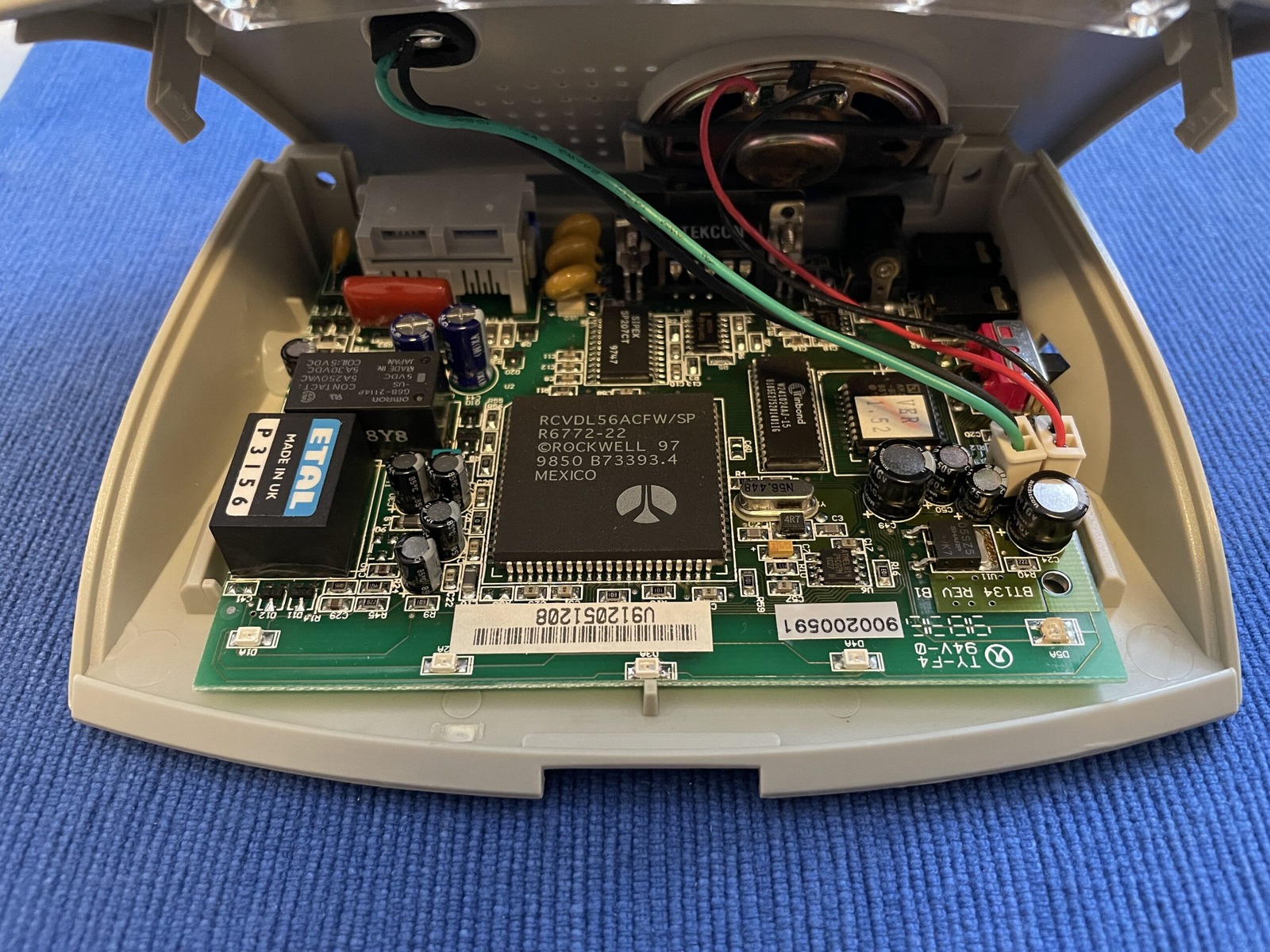
After popping the hood, I noticed that the board design looked very familiar. That board number, BT134 REV B1. BT as in Banksia Technology? But the Banksia modems are much more vertical. So I pulled out my Banksia Wave SP 56 Rev.1 (Model Wave56-SP, Serial 13412650), and here are the two boards in a seizure-inducing GIF. Update: I made the GIF a little less like a strobe light from a 90s rave.
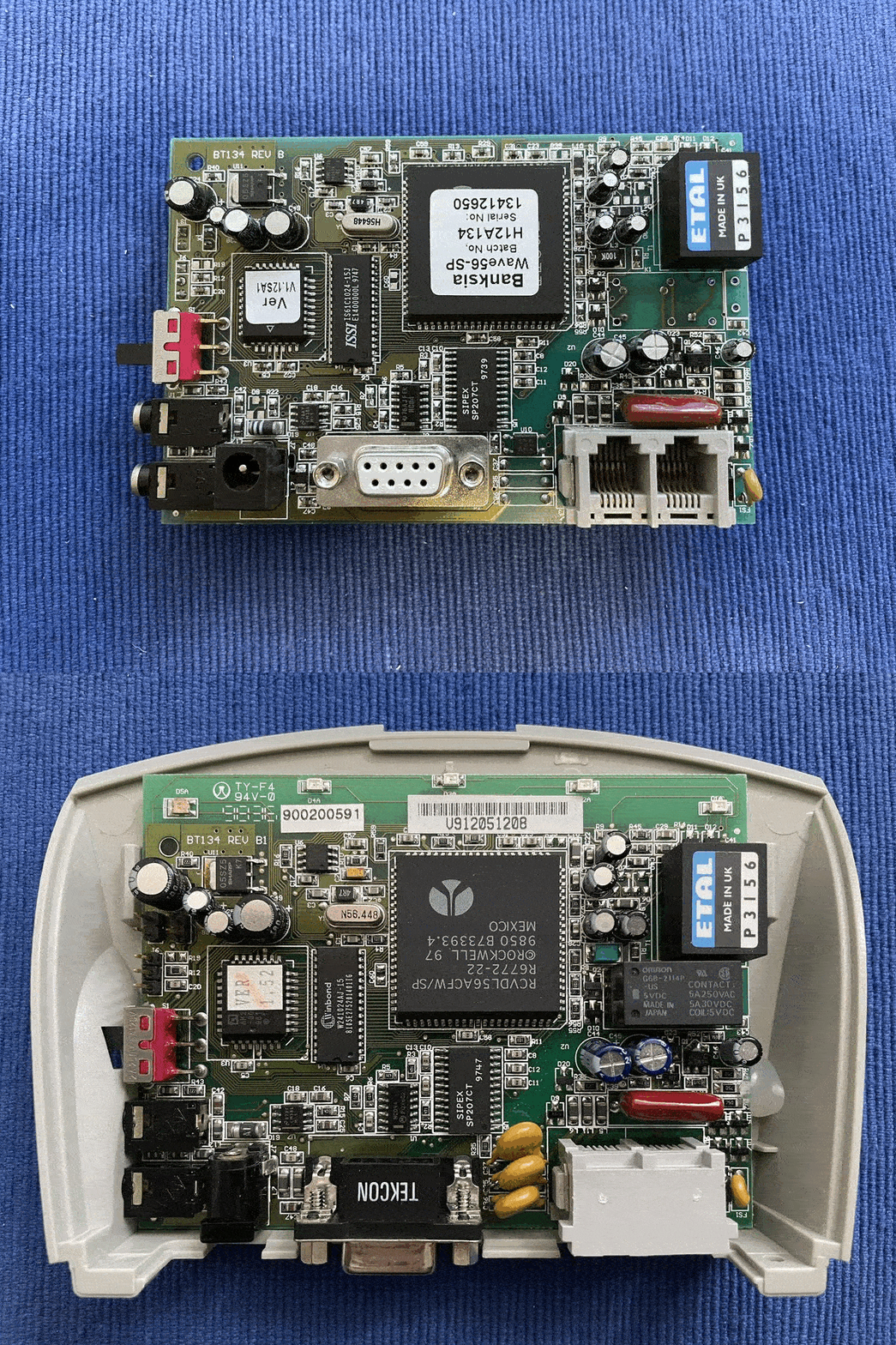
The BT134 REV B1 is flat as a pancake in the NetComm AM5690, while the BT134 REV B stands tall in the Banksia Wave56-SP Rev 1. Pretty neat! The PCB on the AM5690 got a little longer (wider?) to fit the LEDs and most ports switched angles. Gough Lui’s site has more on Banksia’s history.
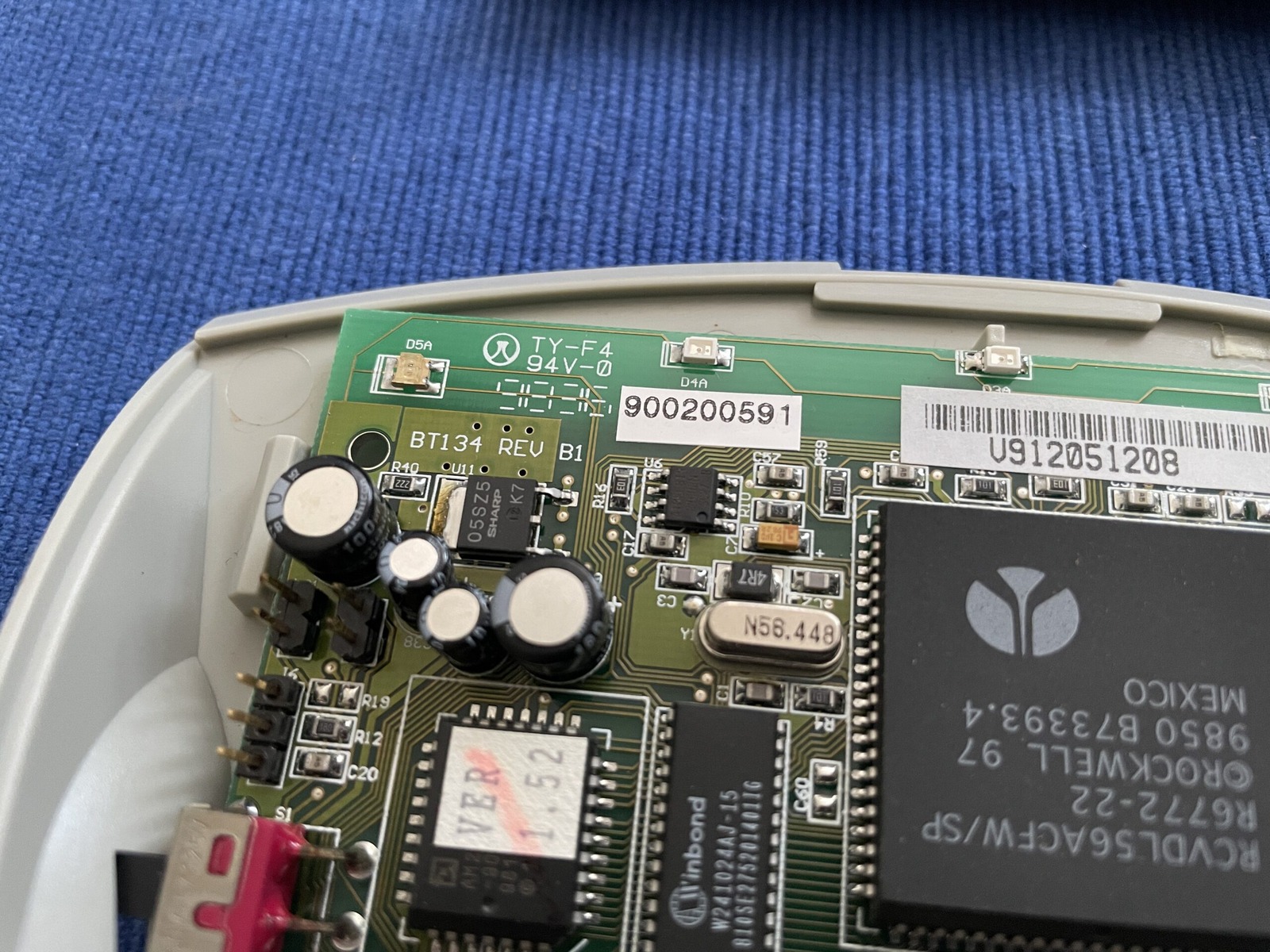
The BT134 REV B1 clearly shares a lot with the earlier BT134 REV B layout. The labelled Banksia hardware also gave me useful evidence that 7.5 V DC centre-positive and at least 450 mA was plausible for this family. That is good supporting evidence, not proof that every BT134 revision has identical power requirements.
Poking around the board a bit more, I was delighted to see capacitors. Those who know me know that I love preventative maintenance. Some component date codes point to 1998, putting them at around 23 years old when I recapped the modem in November 2021. They don’t tell us the exact week the PCB was designed. So out they came!
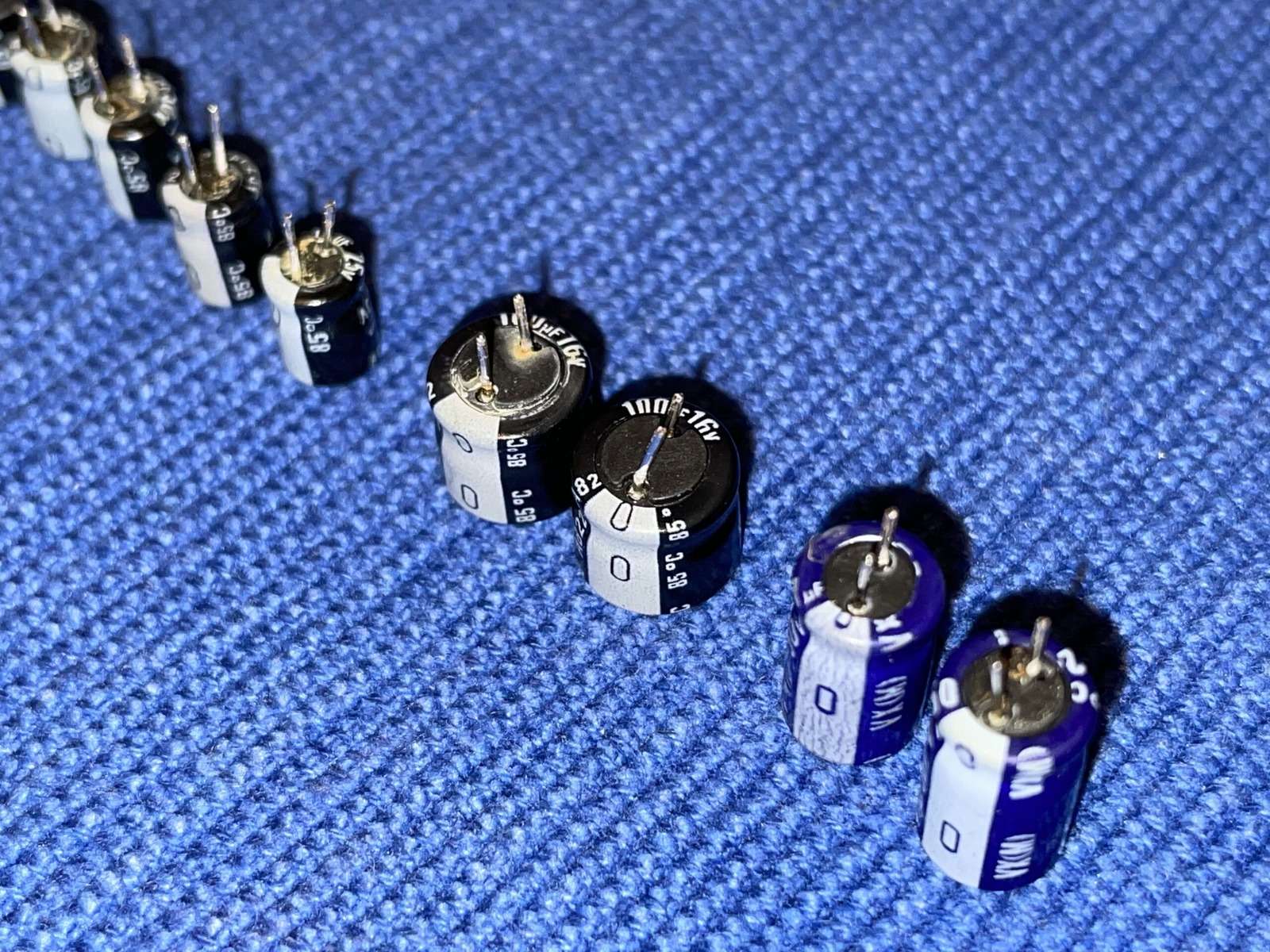
I’d love to give Nichicon the benefit of the doubt, but those caps don’t look too happy. Fair, it’s been over two decades, and most of that time has probably been spent in storage. There’s a reason I always recap with Rubycon and Panasonic branded capacitors: in my experience, they seem to last longer. Even the general-purpose Rubys or ELNA ones in Sega’s hardware seem to do very well. Regardless, they were replaced. I also restocked the photo gallery to help quench your thirst for modems.
The exact initialisation string I used is, well… lost. Looking at the Windows drivers for this modem, it appears to have been the one below. Whether it’s the best one… I couldn’t say. Trial and error can be fun! As usual, I’ll throw in some ATI (inquiry, information, or interrogation) results. I put the Windows drivers on the file server.
---------- 2021-11-07 16:53:19 +1100: Logging Started ----------

ATZ
OK

AT&FE0&C1&D2W2S95=47-K0S0=0
OK

ATI0
56000
OK

ATI1
070
OK

ATI2
OK

ATI3
V2.210-K56_2M_DLS
OK

ATI4
NetComm RoadsterII 56 V.90 F02_V1.56 (C) NetComm Ltd. 1999
OK

ATI5
040
OK

ATI6
RCV56DPF L8570A Rev 47.32/47.32
OK

ATI7
OK

ATDT1234567890
CONNECT 28800
As hinted at above in ATI4, the firmware version is F02_V1.56 and fits neatly inside the 2 Mbit flash chip, the AM29F002NB. Thanks to Gough Lui’s excellent post on flashing a dial-up modem using Flashcom, we can use SRecord to convert these pesky .S37 files into something with *some* human-readable code, following the commands in his guide.
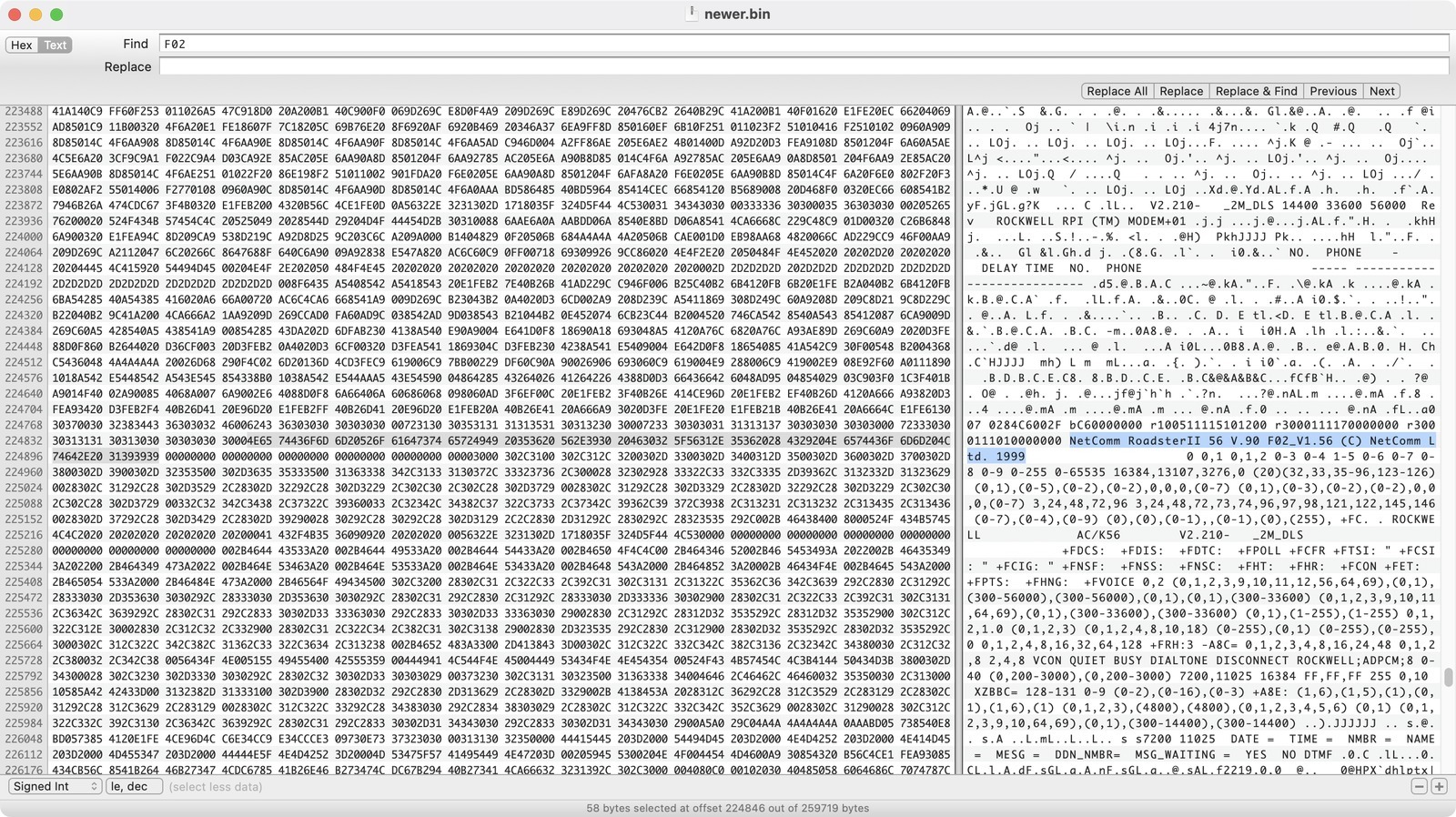
Unfortunately for me, the firmware upgrader, am56906.exe, was the same version as what I already had. The AM29F002NB datasheet gives a minimum pattern-retention figure of 20 years at 125°C. That is a high-temperature retention specification, not an expiry date saying the flash forgets its contents after 20 ordinary years on a shelf. I reflashed it anyway because the updater was available and I was already in there. If it spent 20 years in a fire pit, we had bigger problems. 🤣
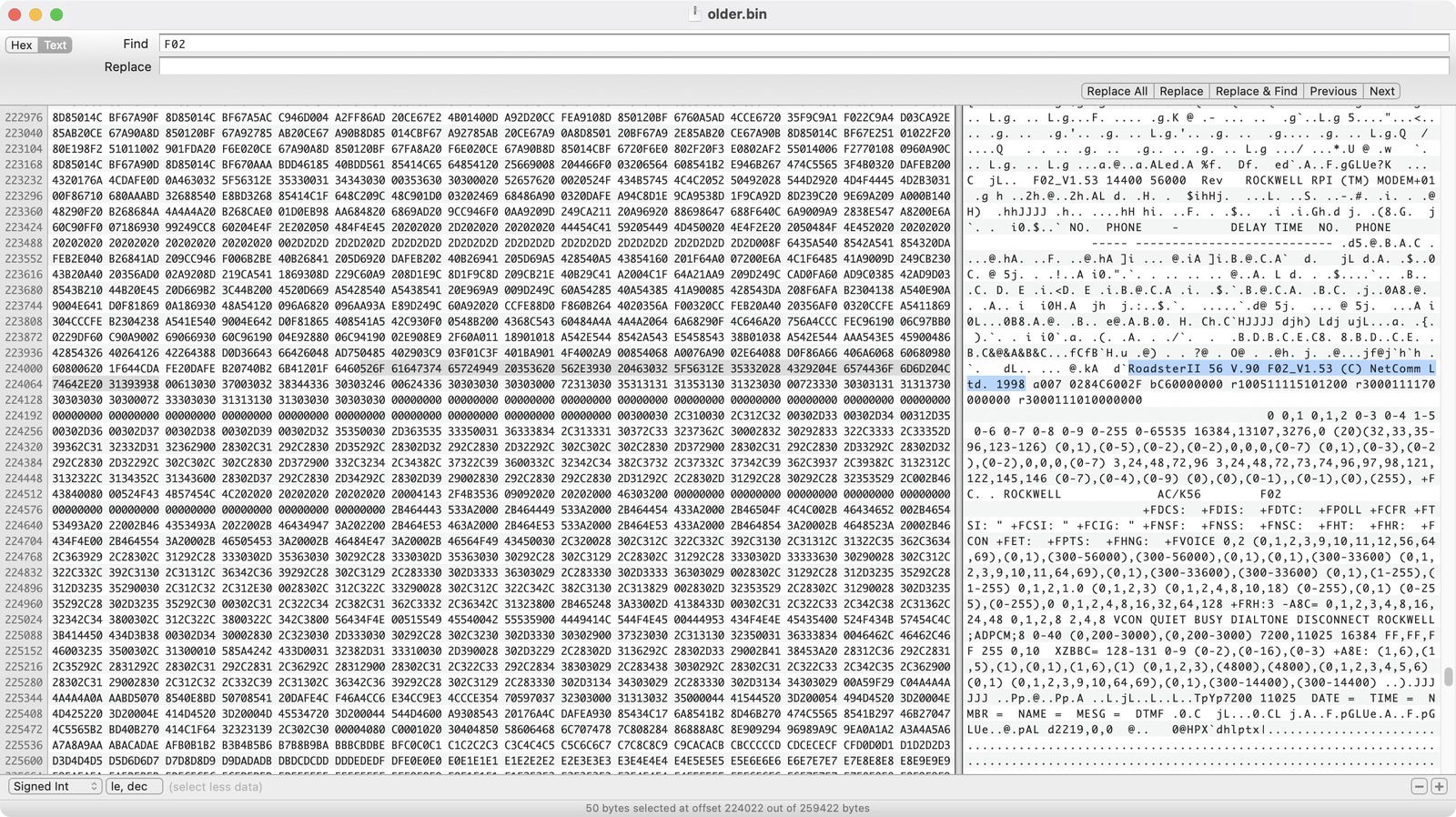
The am56906.exe installer also included an older version of the flash ROM - V1.53. Good on NetComm for being cautiously optimistic with their firmware. It looks like this modem originally shipped with V1.52 installed, so someone else upgraded it along the way, way back in the day!
Next up is a listing of the electrolytic capacitors and the manufacturer part numbers I used to replace them. All 11 were replaced in November 2021. This is a record of this board: check the actual parts, capacitor type and polarity, capacitance, voltage and temperature ratings, ESR, ripple current and fit before choosing replacements. The formatting isn’t too web friendly. Copy the raw text out and paste it into a plain-text editor such as Notepad or TextEdit in plain-text mode and you’ll probably be fine. 😄
Location	Value	Voltage		Height	Width	Notes
C24			100uF	16V			7mm		6mm		16ML100MEFC6.3X7
C49			100uF	16V			7mm		6mm		As above
C44			47uF	50V			11mm	6mm		50YXJ47M6.3X11
C45			47uF	50V			11mm	6mm		As above
C50			10uF	50V			7mm		5mm		50YXF10MEFC5X11 - Taller at 11mm(h)
C38			10uF	25V			7mm		4mm		25ZLG10MEFC4X7
C30			10uF	25V			7mm		4mm		As above
C27			10uF	25V			7mm		4mm		As above
C14			10uF	25V			7mm		4mm		As above
C21			10uF	25V			7mm		4mm		As above
C46			10uF	25V			7mm		4mm		As above

All electrolytic capacitors are radial.
Lead spacing is 2-2.5mm on most.
Use caution under the speaker as 11mm(h) capacitors will not have clearance.
Special thanks, as always, to Doge Microsystems for their VoIP configuration guides and to Gough’s Blog for the modem-flashing guide.
This modem has been donated to the Australian Computer Museum Society (ACMS).