 Nix McRetro
The Sega Dreamcast HKT-0120 development box has a SCSI hard drive containing some rather interesting material, including World Series Baseball 2K2. Unfortunately, the drive wasn’t in particularly good health, so getting a proper image of it had become a bit of a priority.
I’d already managed to recover some of the contents, but I wanted to copy the entire drive rather than just the files I could see. That way I’d have a chance of recovering material that had been deleted, assuming the ageing drive would cooperate long enough.
The solution involved an old PC, a SCSI connection, a 300 GB external USB drive and Knoppix Linux. Naturally, getting the operating system running turned into an adventure of its own.
The newer Knoppix discs I’d tried weren’t particularly interested in booting on this machine, so I eventually settled on version 7.2.0. It fitted on a CD and, more importantly, actually worked. Always a useful feature in an operating system!
With Knoppix running, lsblk showed the external destination drive as sda and the Dreamcast development drive as sdb. The SCSI disk was roughly 4.2 GB, with a FAT partition of around 2 GB. I wanted an image of the entire disk, not just that partition.
Because the drive was reporting I/O errors, a straightforward copy with dd wasn’t my preferred option. I wanted something capable of continuing past troublesome sectors and making another attempt at reading them.
I’d started out expecting to use GNU ddrescue, complete with options for direct disk access, retries and a recovery log. Unfortunately, the command wasn’t available on this Knoppix installation. It had dd_rescue instead, which uses different options. I’d been confusing the two programs, so naturally I had to stop and work out how to use the one I actually had!
I also discovered that my original destination setup wasn’t going to be suitable for a disk image larger than 4 GB. Rather than split the image into pieces, I reformatted the external destination with an ext3 filesystem.
That brought its own collection of mistyped paths and commands. I’d managed to identify the drives correctly, but typing the wrong destination or referring to a partition as though it were a directory was not helping matters.
Eventually dd_rescue began copying the SCSI disk to an image on the external drive. It encountered bad blocks, particularly early in the disk, which wasn’t terribly surprising given the noises the old drive had been making.
The recovery took long enough for me to go to sleep. When I returned, the operation had finished and there was a disk image of approximately 4.5 GB waiting on the external drive. Beautiful!
Unfortunately, I hadn’t kept the recovery log I really should have used, so I couldn’t go back and examine exactly which sectors had failed. Still, I now had a useful image of the drive instead of relying entirely on the original ageing hardware. Below is the directory structure of the last main folder.
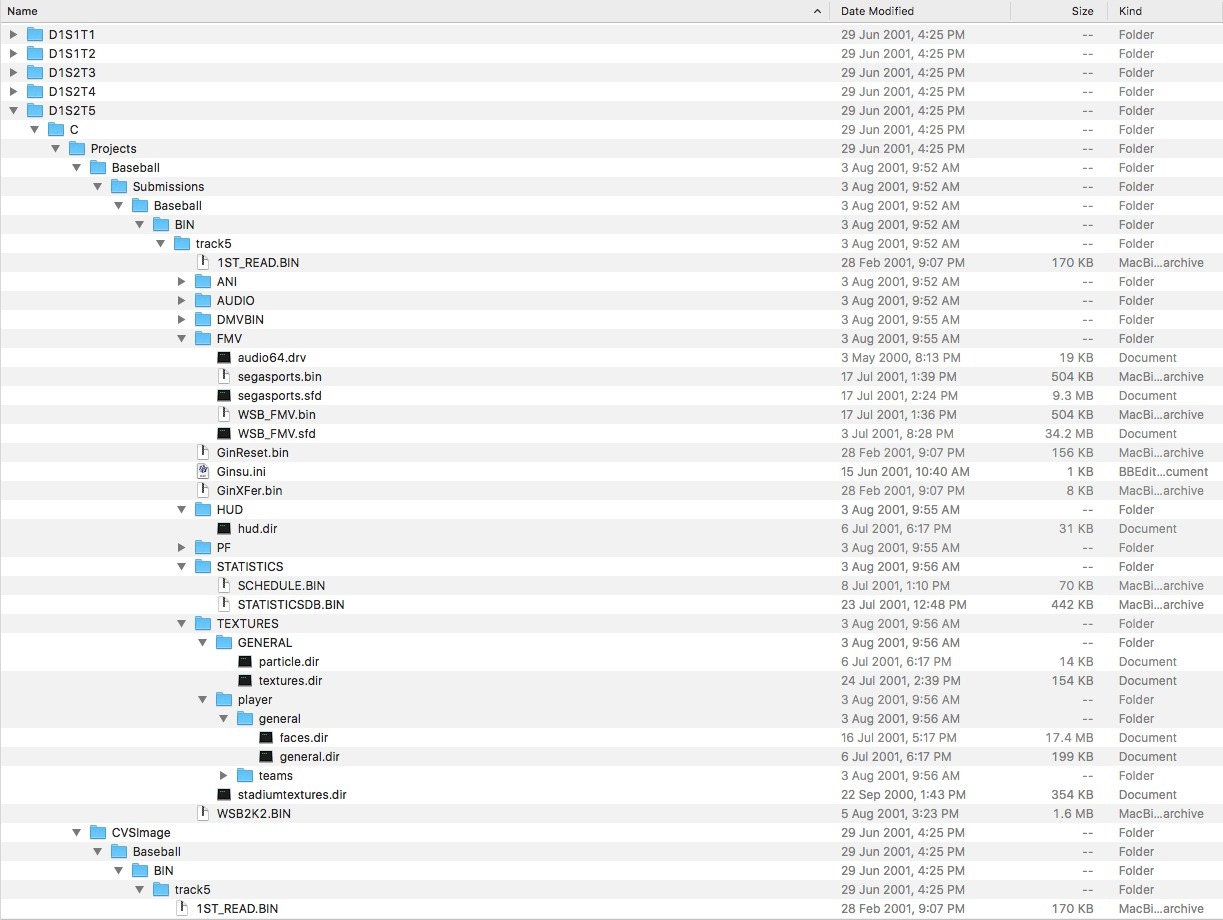
The disk image I originally shared was around 1 GB compressed and about 4.5 GB decompressed. World Series Baseball 2K2! Or WSB2K2 as it was known amongst the cool kids?
The original ASSEMbler Games thread documenting the World Series Baseball 2K2 discovery is also preserved.
I’ve also got a solid-state replacement solution coming in the mail for the HKT-0120 SCSI drive. Hopefully that will bring it back to the best state it has ever been in, but not before we pull the entire thing apart and put it back together, obviously. Might be a while off yet. Stay tuned!
Update 9th October 2022
This is why sleep is important. In the original recording I typed sd2 instead of sda2. GNU ddrescue is the program I ultimately prefer for this job. It reads the easier areas first and can use a mapfile so recovery can resume without starting over. On Ubuntu, the package command I noted was sudo apt install gddrescue. It’s amazing what you learn as time goes forward.
Sources
Related Posts